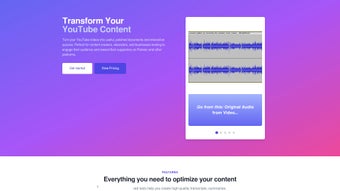

Download YouTube Transcript Optimizer – AI‑Powered Transcription, Document & Quiz Creator
YouTube Transcript Optimizer is a web‑based application designed to turn any YouTube video into a polished, searchable document and an interactive quiz in a matter of seconds. Powered by advanced artificial intelligence, the service delivers transcriptions that regularly outperform YouTube’s native captions in accuracy, punctuation, and speaker identification. Whether you are a content creator looking to repurpose video material, an educator seeking ready‑made study aids, or a researcher needing clean text for analysis, this tool provides a seamless workflow from raw video to downloadable files in TXT, Markdown, PDF, or HTML. The built‑in editor with revision history lets you fine‑tune the output, while the automatic update feature keeps your documents synced whenever the source video changes. With support for unlimited videos under most plans, the platform is positioned as a one‑stop solution for anyone who wants to maximize the value of YouTube content without the hassle of manual transcription or third‑party editing tools.
Key Features That Set It Apart
- AI‑Enhanced Accuracy: Utilizes deep‑learning models trained on millions of spoken sentences, delivering higher word‑level precision and correct speaker labeling compared with YouTube’s auto‑captions.
- Multi‑Format Export: Choose from plain TXT, Markdown for developers, PDF for printable reports, or HTML for web publishing – all with a single click.
- Instant Quiz Generation: Automatically creates multiple‑choice and short‑answer questions based on the transcript’s key concepts, helping learners test comprehension instantly.
- Integrated Rich Text Editor: Edit transcripts directly in the browser, add headings, timestamps, or speaker notes, and revert to previous versions using the built‑in revision history.
- Automatic Update Sync: When the original YouTube video is edited or re‑uploaded, the platform detects changes and refreshes the transcript and quizzes without losing your custom edits.
- Unlimited Video Handling: Depending on your subscription tier, you can process as many videos as needed, making it ideal for large‑scale content libraries.
- Secure Cloud Storage: All documents and quizzes are stored on encrypted servers, ensuring privacy and compliance with GDPR and CCPA regulations.
- Collaboration Tools: Share editable links with teammates or students, assign permission levels, and track who made which changes.
Installation & Usage – From First Click to Finished Document
Because YouTube Transcript Optimizer is a web‑based SaaS solution, there is no traditional installation process. Getting started is as simple as creating an account and connecting your YouTube channel (optional). Below is a step‑by‑step guide that walks you through the entire workflow:
- Create an Account: Visit the official website, click “Sign Up,” and provide an email address or use a Google OAuth login. A verification email will confirm your identity.
- Select a Subscription Plan: Choose between the free tier (limited to 5 videos per month) or one of the paid plans that unlock unlimited processing, priority AI resources, and bulk export options.
- Paste a YouTube URL: In the dashboard, locate the “New Transcript” button, paste the video link, and click “Generate.” The AI engine begins analyzing audio, identifying speakers, and producing a raw transcript.
- Review & Edit: Once the initial transcript appears, use the integrated editor to correct any anomalies, add custom timestamps, or insert section headings. The revision history automatically saves each change.
- Generate a Quiz (Optional): Click “Create Quiz” to let the system scan the transcript for key ideas. Choose the number of questions, the mix of multiple‑choice versus short‑answer, and hit “Generate.” You can manually edit each question before finalizing.
- Export Your Files: From the “Export” dropdown, select the desired format (TXT, Markdown, PDF, HTML). The platform bundles the transcript and any associated quizzes into a single downloadable package.
- Share & Collaborate: Use the “Share” button to send a secure link to teammates. Assign “View,” “Comment,” or “Edit” permissions as needed.
- Automatic Updates: If the source video is later updated, the system notifies you and offers a one‑click refresh that preserves your custom edits while updating the raw transcript.
The entire process typically takes less than two minutes for a five‑minute video, making it one of the fastest AI transcription tools on the market. Because everything runs in the browser, you can access your workspace from any device with an internet connection, and all changes are saved in real time to the cloud.
Compatibility, Pros & Cons – What Platforms Are Supported and Is It Right for You?
YouTube Transcript Optimizer is a browser‑based application, which means it works on any modern operating system that can run Chrome, Edge, Firefox, or Safari. Whether you are on Windows 10/11, macOS Ventura, Linux distributions, or even mobile platforms like Android and iOS (via Safari or Chrome), the tool delivers the same performance. No additional plugins or extensions are required, and the responsive UI adapts gracefully to tablets and smartphones, though the full editing suite is best experienced on a desktop or laptop with a keyboard and mouse.
Pros
- Exceptional transcription accuracy thanks to cutting‑edge AI.
- One‑click export to multiple file formats saves time.
- Automatic quiz generation adds immediate educational value.
- Integrated editor with revision history eliminates the need for external software.
- Cloud‑based storage ensures access from any device and protects data with encryption.
- Unlimited video processing on paid plans makes it scalable for businesses and educators.
- Regular updates and a responsive support team keep the platform reliable.
Cons
- The free tier limits the number of videos per month, which may be restrictive for heavy users.
- Because it is cloud‑based, an internet connection is mandatory; offline use is not possible.
- Advanced formatting options (e.g., custom styles in PDF) are only available on higher‑price plans.
- Large video files (>2 hours) may experience longer processing times during peak usage.
- While the AI is highly accurate, occasional domain‑specific jargon may still need manual correction.
Overall, YouTube Transcript Optimizer delivers a compelling mix of accuracy, speed, and convenience. Its ability to turn raw video into polished documents and ready‑to‑use quizzes sets it apart from generic transcription services. While the free version is somewhat limited, the paid tiers provide excellent value for educators, marketers, and content creators who need to process large volumes of video content.
Frequently Asked Questions (FAQ)
Can I use YouTube Transcript Optimizer with videos that are not publicly available?
Yes. As long as you have access to the video (e.g., it is unlisted or private but you are logged into the associated Google account), the tool can process it. You simply need to provide the URL while authenticated.
What languages does the AI support?
The platform currently supports English, Spanish, French, German, Portuguese, and Japanese with full accuracy features. Additional languages are in beta and will roll out later in the year.
Is my data safe on the cloud?
Absolutely. All files are encrypted both at rest and in transit using TLS 1.3. The service complies with GDPR, CCPA, and ISO‑27001 standards, and you can delete any document permanently from the dashboard.
Can I integrate the output with a Learning Management System (LMS)?
Yes. Exported PDFs, HTML files, or Markdown can be uploaded directly to most LMS platforms such as Canvas, Moodle, or Blackboard. The generated quizzes can also be imported as SCORM packages when you select the “Export as SCORM” option (available on Premium plans).
Do I need a powerful computer to run the editor?
No. Because all processing happens on the server side, any device that can run a modern web browser will work. Even low‑end laptops or tablets can handle the editing interface smoothly.
Conclusion – Transform Your YouTube Content Today
If you regularly work with YouTube videos—whether to create study guides, marketing copy, or research notes—YouTube Transcript Optimizer offers a fast, reliable, and secure way to extract maximum value from each clip. Its AI‑driven accuracy, multi‑format export options, and instant quiz generation eliminate the manual labor traditionally associated with transcription and content repurposing. While the free plan serves casual users well, the paid tiers unlock unlimited processing, advanced formatting, and collaboration features that make the tool indispensable for educators, teams, and businesses alike. Ready to boost your productivity and enhance learner engagement? Download YouTube Transcript Optimizer now and experience the future of video‑to‑text conversion.



.png)



